 INTELLIPLANS: Expert Web Design & Di…



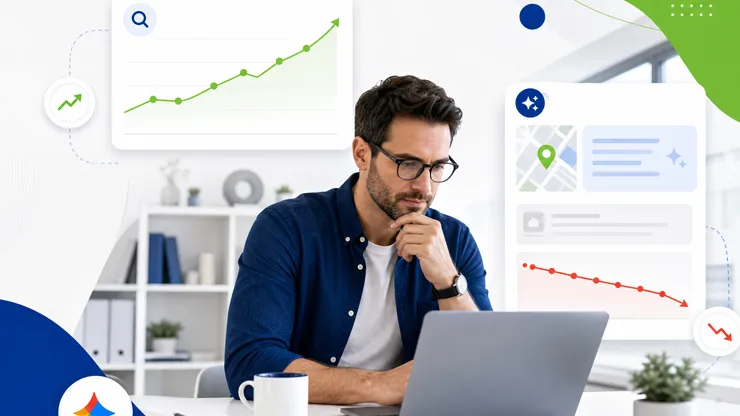
Why Your Traffic Might Drop Even If Rankings Look the Same
Why rankings alone do not guarantee traffic
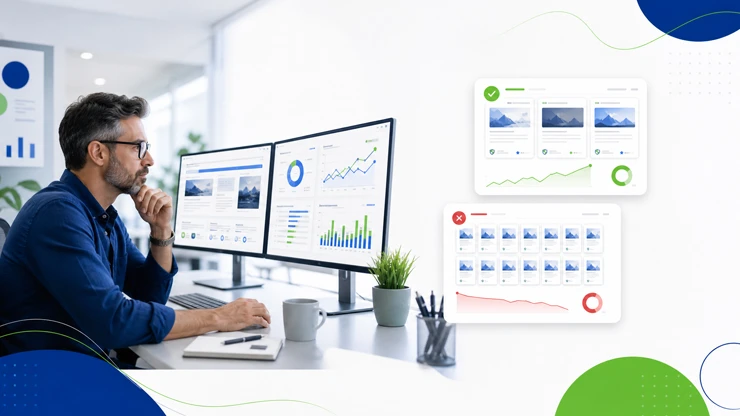
You may notice your Google rankings stay steady while organic traffic slips. The mismatch isn’t a mystery in a vacuum. Google search results have evolved, and so have the ways people search and the ways results are presented.
In plain terms, rankings, traffic, and leads are different measures of success. Think of it as three parts of the same story: where you appear, how many people click through, and how many of those clicks become calls or appointments.
What Changed in Google Search Results
What changed in how Google presents results
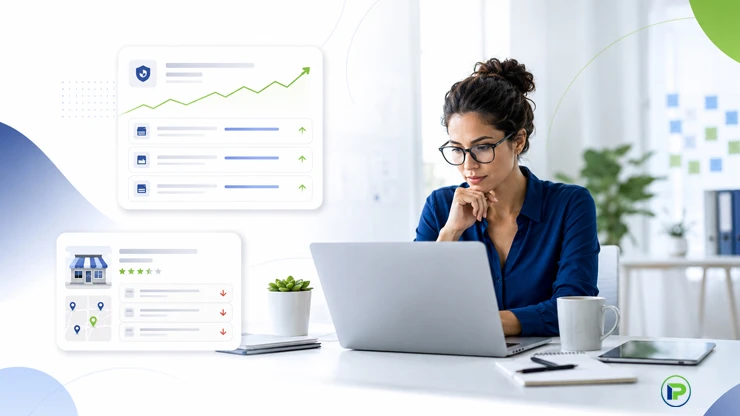
Google now blends traditional links with maps, local packs, AI Overviews, featured snippets, and business or knowledge panels. For local service businesses, this changes how visibility translates into calls or appointments.
A page can rank well for a keyword yet attract fewer visitors if the information users seek appears directly in the results. The path from search to contact can shift, and site traffic may dip even when rankings appear stable in a rank checker or Google Search Console.
Why a stable rank may not mean stable traffic for local businesses
Ranking stability shows where a page sits in results but does not indicate actual visits or contacts. Traffic represents visits to your website, while leads represent actions such as calls, forms, or bookings. Both can change as user intent and the search-results layout change.
For local service providers, a steady rank can coincide with a drop in site traffic if users obtain needed details from other SERP features or if the contact path has changed.
- Maps and local packs draw attention away from traditional links
- AI Overviews can answer enough of a question that some users do not click through
- Knowledge panels surface business data directly in search results
How AI Answers Can Reduce the Need to Visit Websites
Impact on local visibility
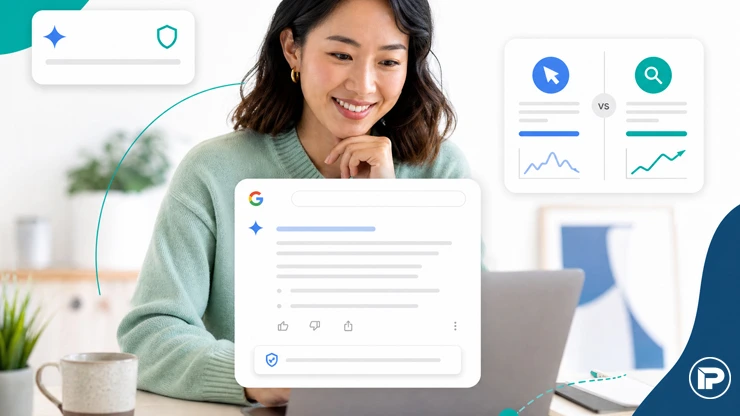
AI Overviews and other search features can give prospects useful information directly on the results page, so some searches may end without a visit to a website.
AI-driven responses can synthesize information from multiple sources and show concise answers, which can reduce visits to some websites even when traditional rankings remain strong.
What this means for your strategy
Keep business information clear, accurate, and consistent on your website and Google Business Profile. Google recommends the same strong SEO fundamentals for its generative AI features, including crawlable pages, useful content, and up-to-date business information.
Focus on practical steps that improve accuracy, accessibility, and the usefulness of your content for people.
Practical steps to align with AI answers
- Maintain a consistent NAP across your site and important external profiles to reduce conflicting business information.
- Provide precise service descriptions and clear contact options on key pages so AI can capture essential details.
- Use supported structured data where relevant and make sure it matches visible page content. Structured data can help Google understand page details and qualify pages for certain search features, but Google does not require special AI-specific schema for AI Overviews or AI Mode.
AI Overviews
AI Overviews are AI-generated summaries that can appear in Google Search for some queries.
They can provide enough information to satisfy part or all of a user’s question without a site visit. For local service businesses, the practical goal is to keep your website crawlable, publish useful and distinctive content, and keep business information accurate across your site and Google Business Profile.
Why this matters for traffic and leads.
If an AI Overview provides enough information, some users may not click through to a website. Independent browsing research has found lower click-through behavior when an AI summary appears, while Google reports that overall organic click volume remains relatively stable and that clicks from AI result pages can be more engaged. For a local business, the priority is to make your information accurate, useful, and easy to verify rather than trying to force inclusion in an AI response.
Practical actions you can take:
- Audit core service pages to answer common local questions clearly and keep contact details easy to locate.
- Keep hours, contact information, and service details consistent across your website and key profiles.
- Use appropriate structured data where it genuinely describes the visible page content and is supported by Google Search.
Next steps
Use Google Search Console’s generative AI performance reporting to review how often your pages appear in AI features, then compare that visibility with website clicks and lead activity.
Featured Snippets
Featured snippets overview
Featured snippets are special search-result boxes that highlight a concise portion of a webpage when Google determines that it helps answer a user’s question.
For local service businesses, this means useful page content can receive prominent visibility, although the effect on clicks varies by query and how completely the snippet answers the user’s question.
Key actions to influence featured answers
- Describe your core offerings clearly on service pages and include direct contact options.
- Provide precise hours, service areas, and pricing where appropriate to improve snippet accuracy.
- Maintain accurate, consistent business information across your site and key external profiles.
Next step: audit your top service pages for clarity and direct CTAs, and verify that your business data aligns across Google Business Profile and your site.
Local results
Local results are especially important for nearby customers. Even if traditional organic rankings look steady, local visibility can change because Google says local results are mainly based on relevance, distance, and prominence.
What to check now:
- Google Business Profile completeness: ensure hours, category, services, and location are accurate.
- Consistency of name, address, and phone across directories and your site.
- Recent reviews and credible responses that show active engagement.
- Service area settings if you serve multiple locations or a wide radius.
- Photos and videos that illustrate your work; keep the profile fresh with regular updates.
Why this matters for traffic and leads: local results influence Maps and local packs. Complete and accurate Business Profile information can improve your ability to appear for relevant local searches and can generate calls, direction requests, website visits, and other customer actions even when traditional rankings appear stable.
Practical action steps:
- Audit your Google Business Profile for accuracy and completeness in hours, services, and attributes.
- Confirm NAP consistency everywhere and fix mislisted locations or phone numbers.
- Encourage legitimate recent reviews and respond promptly and professionally.
Knowledge panels and other zero-click features
Knowledge panels and similar zero-click features pull core information onto the search results page. For local service businesses, this means potential customers can access key details without visiting your website.
Why this matters for traffic and leads. When information appears in a knowledge panel, users can contact you or learn about your services directly from the results page, which can reduce site visits even if traditional rankings remain stable.
Practical actions you can take:
- Keep your Google Business Profile accurate and up-to-date. Business Profiles are the primary Google presence for local businesses, while knowledge panels can also draw information from multiple sources across the web.
- Ensure the contact options available in your Business Profile and search presence, such as phone and website links, are accurate and easy to use.
- Align data across your website and external profiles so the panel sources consistent details about services and pricing where appropriate.
What to watch for in your data. Use Google Search Console to monitor impressions, clicks, click-through rate, and average position. Its generative AI performance report can also show visibility in AI features such as AI Overviews and AI Mode.
Next steps. Review how your business information feeds into these features and plan small optimizations that encourage users to contact you directly from the panel or via a routed call.
Clarifying Metrics: Rankings, Traffic, and Leads
What rankings measure vs. what traffic shows
Rankings show where pages appear in search results for a query. Traffic measures visits to your site, while analytics tools can provide separate engagement metrics such as engaged sessions and time on site.
For local service businesses, rankings can be stable while search behavior evolves. A top result may not produce clicks if zero-click features surface answers or if a knowledge panel or map listing satisfies user intent without visiting your site.
How leads differ from clicks and visits
Leads are concrete actions toward a sale, such as calls, form submissions, or bookings. Clicks and visits are intermediate signals that show interest but do not guarantee a sale.
You can generate leads with fewer visits if your Google Business Profile and local contact paths are strong. Many visits may not convert if CTAs are unclear or content misses local intent.
| Metric | What it signals | Why it matters for local service businesses |
|---|---|---|
| Rankings | Position in search results for target terms | Shows relevance and visibility; does not directly measure user actions |
| Traffic | Visits to the site from search results | Indicates level of interest and engagement, but may not equal leads |
| Leads | Direct actions like calls, forms, or bookings | Closest proxy to bottom line impact for service businesses |
Next step Align your tracking so you measure rankings, traffic, and leads separately, and review how each responds to changes in your local profile and zero-click features. This clarity helps you prioritize improvements that drive inquiries and bookings.
Zero-click Features and Their Impact
Maps, local packs, and AI summaries changing click behavior
Zero-click features place essential information on the search results page, reducing the need to visit a website. For local service businesses, this can cut site visits while keeping visibility in results.
What to monitor. Use Google Business Profile Performance to review profile views and customer actions such as calls, website clicks, and direction requests. Use Google Search Console separately to monitor your website’s impressions, clicks, click-through rate, and average position in Google Search.
- Keep your Google Business Profile complete and up-to-date to maximize maps and local pack visibility.
- Ensure contact methods, hours, and service areas are easy to parse at a glance.
Where users go when they don’t click through to a site
Zero-click results can still lead to engagement via direct calls or messages from the results surface. This shifts the path from search to conversion and highlights early capture points beyond your site.
Practical checks. Track inquiries from calls or messages initiated from your Google profile or maps listing, not only on-page conversions. This measures true lead flow when site visits decline.
| Feature | Typical user action | Business implication |
|---|---|---|
| Local packs | View business details, sometimes call | Higher visibility, potential calls without site visits |
| Maps panel | Open map location and contact options | Direct engagement without site traffic |
| AI summaries | Read a quick answer, possibly no site visit | Need strong off-site contact paths and clear CTAs |
Next step Audit profiles for accuracy, ensure easy contact options, and configure tracking to capture calls and messages as key leads from zero-click interactions. This clarifies how visibility translates into inquiries.
Shifts in Searcher Behavior Toward Conversation
From quick answers to longer, conversational queries
Searchers now ask longer, natural questions rather than only keywords. Local service businesses should expect full-sentence inquiries such as “Who nearby can fix my boiler tomorrow?” instead of a terse “boiler repair.”
Conversations reveal intents like availability, price ranges, and nearby options, shifting focus from a single term to a broader local context.
How this affects the path from search to contact
Conversational queries make the path to contact less linear. Users refine questions before connecting with a business. Surface key local information early and support multiple contact paths to capture inquiries.
- Ensure your contact options are visible in every local listing and on service pages.
- Anticipate common follow-up questions with concise on-page answers and FAQs.
- Provide direct ways to initiate contact from search surfaces such as accurate phone, website, booking, or other supported Business Profile actions.
The signal is the truth. The noise is what distracts us from the truth.
Practical Review List for Local Businesses
Google Business Profile accuracy and completeness
Your Business Profile is often the first touchpoint in local search. Ensure name, address, phone number, hours, and service areas are exact and current.
Action: audit every field and remove outdated attributes. Update photos, services, and a concise description that mirrors your real offerings.
Google Search Console impressions vs. clicks
Impressions show how often your listings appear, while clicks reveal site engagement. A gap can indicate visibility without compelling entries.
Action: review the search terms driving impressions and adjust pages to better align with those intents.
Phone call and form submission tracking
Leads come from calls or form fills, not just page visits. Track every call, message, and form submission from all devices.
Action: implement unified call tracking and event-based form analytics to attribute leads accurately.
- Ensure call buttons appear on mobile SERPs and maps listings.
- Set up conversion events for form submissions and message clicks.
Online reviews presence and response
Customer feedback can influence trust, and Google says review count and review score can contribute to local ranking through prominence. Focus on earning legitimate reviews rather than chasing volume alone.
Action: monitor reviews, respond professionally, and encourage fresh feedback after service visits.
NAP consistency across directories
Inconsistent name, address, or phone details confuse search engines and users alike.
Action: unify NAP across Google, directories, and your site footer.
Local citations and profile visibility
Citations can support local business consistency when they are accurate on relevant directories and platforms. Quality and correctness matter more than simply accumulating as many listings as possible.
Action: audit top local directories and claim missing listings with consistent NAP data.
Site mobile usability and speed
Mobile performance directly affects user experience. Page experience can contribute to Search performance, but it does not replace relevant, helpful content or strong local relevance.
Action: run quick checks for mobile load times and fix any blocking resources or large images.
FAQ and content alignment with local intent
People ask about availability, pricing, and nearby options. FAQs can capture these queries directly.
Action: add local-intent-focused FAQs and ensure clear answers on service pages.
Map listing optimizations and service area settings
Maps visibility depends on factors such as relevance, distance, and prominence. Service-area settings help customers understand where you provide service, but simply adding more service areas should not be treated as a way to expand ranking reach.
Action: choose accurate Business Profile categories, set service areas only where you genuinely serve customers, and verify that your business location information follows Google’s guidelines.
Promotion and service listing completeness
Incomplete service details or outdated promotions reduce perceived value.
Action: keep service listings current, highlight specialties, and refresh promotions seasonally.
Click path analysis from SERP to conversion
Understanding how visitors move from search results to contact helps identify friction points.
Action: map typical paths, test alternative CTAs, and ensure landing pages support local intent and easy contact.
Strategic Tweaks That Can Help Reclaim Traffic
Enhancing local profile with reviews and photos
Recent legitimate reviews and authentic visuals can strengthen credibility for prospective customers. Keep photos relevant to the business and representative of the services you actually provide.
- Action: regularly request reviews after service visits and add a new photo gallery quarterly.
- Action: respond to reviews promptly to demonstrate attention and reliability.
Aligning content with user intent and local queries
Users search with intent variations like availability, price, and nearby options. Content that matches these intents travels farther in local search surfaces.
- Action: map common local search terms to service pages and write purpose-driven copy.
- Action: update service pages with locally relevant details such as service area and scheduling options.
Improving call-to-action placements on pages
Buried CTAs reduce inquiries even if visits stay steady. Clear, accessible CTAs on service pages lift qualified leads.
- Action: place primary CTAs above the fold on every service page and near key benefits.
- Action: test formats like click to call buttons and short contact forms.
Unified tracking for calls, messages, and form fills
Leads come from multiple paths. A single view of calls, messages, and form submissions helps you see what converts.
- Action: implement a unified attribution system across devices and channels.
- Action: set up events for each contact method and review weekly to spot trends.
FAQs
What is the difference between rankings, traffic, and leads? Rankings show where your site appears in search results for specific terms. Traffic counts how many users click through to your site. Leads are the actions you care about, such as calls or appointment requests, that come from those visits.
Why would traffic drop if my rankings stay the same? Local search surfaces are evolving. Zero click features like local packs, maps, and AI overviews can satisfy searchers without a click, reducing site visits even when rankings are stable.
Do AI summaries replace my need to rank well? No. Google says its generative AI features are rooted in core Search ranking and quality systems, so foundational SEO remains relevant. AI features can create additional visibility, but they do not guarantee a click or a citation.
How can I tell what is changing? Compare impressions, clicks, click-through rate, and average position in Google Search Console, then compare website conversions in your analytics, call tracking, or CRM. A drop in clicks with steady impressions and position can indicate a change in search-result presentation or user behavior rather than a simple ranking loss.
Should I chase rankings or leads? Focus on both, with a bias toward outcomes. Track calls, form submissions, and appointment requests alongside ranking metrics to ensure visibility translates into qualified inquiries.
What concrete steps should I take first? Start with a quick audit of your Google Business Profile, site mobile speed, and call tracking setup. Then align content with local intent and improve CTA placement on service pages.
Is a professional audit worth it? It can be. A well-scoped visibility and conversion audit can identify gaps across your website, Google Business Profile, search visibility, tracking, and conversion paths, then turn those findings into a prioritized action plan.
Why is my organic traffic dropping if my rankings are stable?
Your rankings may look steady yet traffic can shift. Google blends local results, maps, zero-click features, and AI summaries into the results page, which can satisfy user intent without a site visit.
Traffic changes occur when the search surface evolves, reducing clicks to your site. Local packs, knowledge panels, and AI overviews answer questions directly, limiting visits to a business page.
Three concepts help interpretation. Rankings show your position for a term. Traffic measures clicks to your site. Leads count actions you care about, such as calls or appointments. Each metric can move independently as users interact with the SERP.
- Impressions can stay steady while clicks fall if more results appear above you or if a feature answers the query without a site visit.
- Click through rate to your site may drop due to maps or upfront snippets that present information.
- Conversions depend on capturing attention after landing or via alternative contact methods.
Next steps: measure how often users click to your site and where they go if they do not. Use the findings to decide whether to optimize for zero-click surfaces or align content with evolving intent.
Can AI Overviews Reduce Website Clicks?
Yes, AI Overviews can reduce click-throughs for some searches.
When a summary appears in the search results, it can answer a question directly and fulfill the user’s intent without visiting a page.
For local service businesses
This matters because fewer clicks translate to fewer opportunities to capture a lead. The goal remains the same: guide the user to the next step, whether that is a call, a message, or a booking, even if they don’t land on your homepage.
To stay effective
Create clear, useful service content that directly answers customer questions, and keep the page easy to crawl and understand. Google does not require special AI-specific formatting or schema to appear in AI Overviews or AI Mode.
- Action: create concise, service-focused explanations that answer common customer questions and include a clear next step.
- Action: write useful FAQs around genuine local customer questions and make the preferred conversion path clear.
- Action: monitor which queries trigger AI Overviews and adjust content to stay relevant for those terms.
Next, use Search Console’s generative AI report alongside your standard Search performance data and conversion tracking to understand whether AI visibility, traditional clicks, and leads are moving in different directions.
Does declining organic traffic mean my SEO is failing?
No. A drop in traffic does not automatically mean SEO is failing. Rankings can stay stable while clicks shift due to changes in search surface and user behavior. The goal is to understand where those clicks go and whether you still capture meaningful leads.
First look at your leads. If inquiries, appointments, or calls stay steady or rise despite fewer visits, search visibility may still be producing useful business outcomes through alternate paths. If leads drop with traffic, investigate both search visibility and post-arrival conversion issues.
Here are practical steps to diagnose without assuming failure:
- Review your Google Business Profile and local packs for visibility gaps in local search results.
- Compare impressions, clicks, click-through rate, and average position in Google Search Console, then compare conversions in your analytics or lead-tracking system.
- Assess call tracking and form submissions to confirm where inquiries originate and how they convert.
What SEO metrics should small businesses track besides traffic?
Tracking a broader set of metrics helps you see how local visibility translates into real leads.
Focus on metrics that connect search presence to tangible business results.
- Leads and conversions from calls, messages, and form fills to show inquiries, not just clicks.
- Google Business Profile visibility signals such as profile views, direction requests, and call clicks reflecting local intent.
- Impressions and clicks in Google Search Console to gauge how often pages from your website appear in Google Search and how often users click through.
- NAP consistency across directories and maps to prevent friction in local results.
- Local citation quality and completeness, including category accuracy and service area details.
- Mobile usability and page speed for fast, frictionless local experiences on phones.
- FAQ relevance and alignment with local intent to capture voice and long-tail queries.
- Click path analysis to understand post-SERP navigation and contact dropoffs.
- Reviews and response rate on GBP and key directories, since sentiment influences trust and conversions.
Next steps: set up a simple dashboard pairing each metric with a concrete business outcome, then review monthly to identify conversion bottlenecks.
How Can I Recover Leads When Organic Traffic Declines?
1) Map the current conversion path
Identify where most inquiries originate today. Knowing the actual path helps you fix the right gaps.
- Track inquiries by channel: phone, form, chat, and email.
- Note the pages and touchpoints that lead to conversions.
2) Strengthen high-intent touchpoints
Focus on elements that drive conversions. Improve headlines, CTAs, and forms on pages that rank well or appear in local results.
- Update service pages with local intent phrases customers use in conversations.
- Place a prominent call-to-action to encourage calls or appointment scheduling above the fold.
3) Leverage Google Business Profile
Your Google Business Profile remains a key local signal. Keep it complete and engaging to sustain lead generation from local search surfaces.
- Add photos of work in your service area and respond to reviews promptly.
- Use post updates to announce promotions or service availability in your neighborhood.
4) Align content with user questions
Answer common local questions in a concise format on your site and GBP. This helps capture questions that lead to conversions even if direct clicks decline.
- Publish a local FAQ section focused on service area and timing.
- Incorporate long-tail terms that reflect real customer conversations.
5) Tighten tracking and attribution
Ensure you can attribute leads to the correct source. If tracking is unclear, you may misinterpret declines as broader issues.
- Implement unified call tracking and form submission dashboards.
- Compare month-over-month performance and identify which channels still produce inquiries.
Next useful step: run a focused visibility and conversion audit on the top five pages that generate inquiries, then implement quick wins within two weeks.
Should I continue investing in SEO if Google sends fewer clicks?
The answer is yes, but with a practical, outcome-focused lens. Fewer clicks from Google does not automatically mean SEO is failing; it can reflect how results are presented and how users consume information. The goal is to measure whether your visibility still supports meaningful business actions like calls, appointments, or inquiries.
Why continuing makes sense
SEO supports an organic acquisition channel that can continue producing local visibility and leads over time. Even when click-throughs trend lower, your business can still benefit from ongoing presence in Maps, local packs, Business Profiles, AI features, and traditional organic results that influence awareness and customer action.
What to monitor instead of clicks alone
- Lead volume from calls, messages, and forms tied to organic visibility.
- Profile interactions on Google Business Profile such as direction requests and call clicks.
- Impressions vs. conversions to see if visibility is improving or waning at the point of contact.
Practical steps to optimize for ongoing value
- Enhance local pages with clear service area signals and local intent phrases.
- Strengthen quick contact options on high-visibility pages, including above the fold CTAs.
- Regularly refresh Google Business Profile with updated photos, service offerings, and timely responses to reviews.
Next useful step: run a focused, monthly visibility and conversion audit that ties page impressions to actual inquiries, then refine based on those insights rather than clicks alone.
References
- Google Search Central: Optimizing your website for generative AI features on Google Search
- Google Search Central: Search Generative AI performance reports in Search Console
- Google Search Console Help: Impressions, position, and clicks
- Google Business Profile Help: Tips to improve your local ranking on Google
- Google Search Help: How Google’s featured snippets work
- Pew Research Center: Google users are less likely to click on links when an AI summary appears
- Google: AI in Search is driving more queries and higher quality clicks